
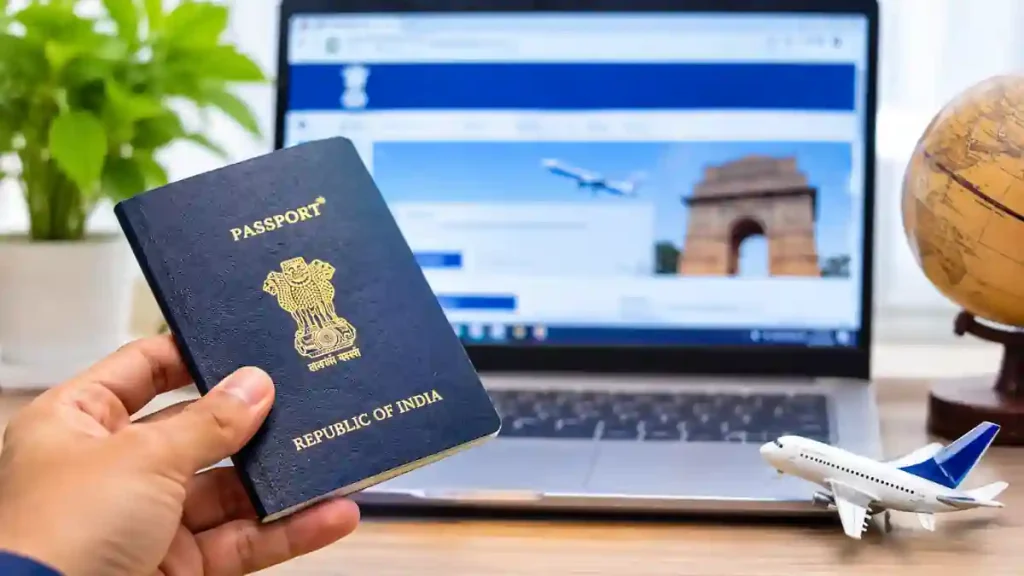
Summary: Passport Renewal Online allows Indian citizens to apply for passport re-issue through the official Passport Seva Portal. Follow these five simple steps to submit your application, pay the required fee, book an appointment and complete the renewal process.Passport Renewal Online is a convenient option for Indian citizens who want to complete the initial renewal formalities from home.
Introduction
If your Indian passport is expired, damaged, running out of pages or approaching its expiry date, you can apply for a new passport through the online system. The Passport Renewal Online process makes it easier to submit your application without visiting a passport office just to complete the initial formalities.
In India, passport renewal is officially handled under the Re-issue of Passport service. Applicants can register online, fill out the application form, pay the applicable fee and schedule an appointment at a Passport Seva Kendra (PSK) or Post Office Passport Seva Kendra (POPSK). Here is a simple guide to completing the process in 2026.
How to Apply for Passport Renewal Online in 2026
You can complete the application process by following these five steps.
Step 1: Visit the Official Passport Seva Website
First, visit the official Passport Seva Portal. Select the registration option if you are a new user. Enter the required details, create your login credentials and verify your registered email address.
Existing users can directly log in using their registered credentials. Always use the official government website to avoid fraudulent websites and unnecessary service charges.
Benefits of Passport Renewal Online
The Passport Renewal Online facility saves time by allowing applicants to complete registration, submit forms, pay fees and book appointments through a single government portal.
Step 2: Select the Re-issue of Passport Option
After logging in, open the services section and select Apply for Fresh Passport/Re-issue of Passport.
Choose the re-issue option because you have previously held an Indian passport. Select the appropriate reason, such as:
- Passport validity expired.
- Passport validity is about to expire.
- Pages have been exhausted.
- Passport is damaged.
- Personal details need correction.
Choose the reason that correctly matches your situation.
Step 3: Complete and Submit the Application Form
Fill in the application form with accurate personal information, including your name, date of birth, residential address and previous passport details.
Check every entry carefully before submitting. Incorrect information can cause delays or require additional clarification during verification.
Once you have reviewed the details, submit the application. The portal will generate an Application Reference Number (ARN), which you can use to track your application.
Step 4: Pay the Fee and Book an Appointment
Open your submitted application and select the Pay and Schedule Appointment option.
Choose your preferred Passport Seva Kendra or Post Office Passport Seva Kendra. Complete the online payment using an available payment method, such as UPI, debit card, credit card or internet banking.
The appointment confirmation will display your scheduled date and time. Keep the confirmation SMS or application receipt for reference.
Step 5: Visit the Passport Seva Kendra
Visit the selected passport centre on your appointment date with your existing passport and the original documents required for your application.
Passport officials will verify your documents and complete the necessary processing. Depending on your application category and verification requirements, police verification may also be conducted.
After successful processing and required verification, your re-issued passport will be dispatched to your registered address.
Table of Contents
Documents Required for Passport Renewal
The required documents depend on the reason for re-issue and your personal circumstances. Commonly required documents include:
- Existing original passport.
- Self-attested photocopies of relevant passport pages.
- Present address proof, when applicable.
- Supporting documents for changes in personal details, if applicable.
Use the official Passport Document Advisor to identify the exact documents required for your case. services2.passportindia.gov.in
Frequently Asked Questions
1. Can I renew my Indian passport online?
Yes. You can submit a re-issue application online through the official Passport Seva Portal. However, an appointment may be required for document verification.
2. How early can I apply for passport renewal?
You can generally apply when your passport is due to expire within the next 12 months. The portal also provides re-issue options for certain already-expired passports.
3. How much does passport renewal cost in India?
The fee depends on the passport type, booklet size, application category and Tatkaal service. Fees were revised from 1 July 2026. Check the official fee calculator before payment. services2.passportindia.gov.in+1
4. Is police verification required for passport renewal?
Police verification depends on your application details and eligibility. Some re-issue applications may be processed without pre-issuance police verification, while others require it.
5. How can I check my passport renewal status?
Visit the Passport Seva website and select the Track Application Status option. Enter your Application Reference Number and date of birth to check the latest status.
Conclusion
Passport Renewal Online makes the Indian passport re-issue process easier by reducing paperwork and simplifying the initial application formalities.. By completing the application, paying the fee and booking an appointment online, you can reduce unnecessary visits to government offices. Make sure your details and supporting documents are correct to avoid delays.
Internal Link Suggestion:
eSanjeevani Kerala: 2026 Complete Guide to Free Online Doctor Consultation
Official External Links:
- Official Passport Seva Portal
- Passport Renewal Document Advisor
- Apply for Passport Re-issue
- Passport Application Fee Information