
Summary: Need medical advice without travelling to a hospital? eSanjeevani Kerala allows patients to connect with government doctors online. Find out how to access the service, register, join a video consultation and receive an electronic prescription.
Introduction
Visiting a hospital for every health concern can be difficult, especially for senior citizens, people living in remote villages and those who have difficulty travelling. To make healthcare more accessible, the government provides an online medical consultation facility through eSanjeevani Kerala.
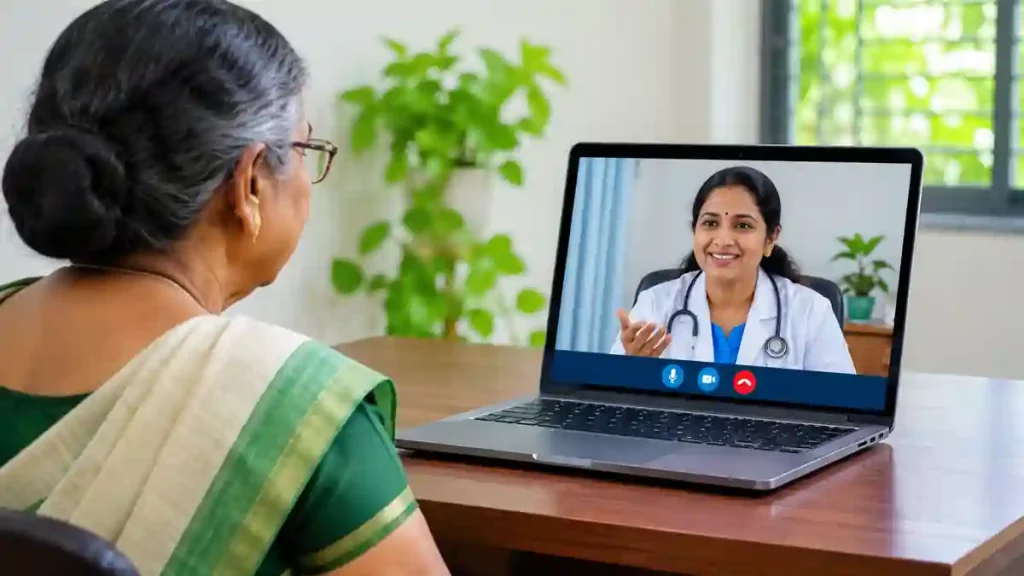
This digital healthcare service connects patients with doctors through smartphones and computers. Instead of standing in hospital queues, patients can submit their details online, request a consultation and discuss their health concerns through a video call. The service also supports electronic prescriptions, helping patients keep their treatment information available digitally.
What Services Are Available Through eSanjeevani Kerala?
The platform provides access to different government medical departments through online consultations. Depending on the availability and schedule, patients can seek medical advice from general doctors and specialists.
Some of the important services include:
- General Medicine
- Child Healthcare
- Psychiatry and Mental Health
- Dermatology
- Gynaecology
- Cardiology
- Orthopaedics
- Dental Healthcare
- Cancer-related Specialist Consultation
- Non-Communicable Disease (NCD) Services
The availability of individual departments depends on their scheduled OPD timings.
Table of Contents
How to Consult a Government Doctor Online in Kerala
Patients can access the online consultation facility by following these steps.
Step 1: Open the official portal
Visit the Kerala eSanjeevani website using your smartphone or computer.
Step 2: Register as a patient
Choose the patient registration option and enter your active mobile number. Complete the OTP verification process.
Step 3: Enter your personal information
Provide the required patient details, including your name and other requested information. Check the details before submitting.
Step 4: Select the required medical service
Choose an available OPD according to your healthcare needs. Check the department’s availability before proceeding.
Step 5: Generate your consultation token
Submit the registration details and obtain the consultation token. Keep the token safe because you may need it to enter the waiting room.
Step 6: Wait for the doctor
Log in using the required details and token. Check your waiting status and remain available until the doctor is ready.
Step 7: Attend the video consultation
Allow camera and microphone access when requested. Explain your health concerns to the doctor and follow the medical advice provided.
After the consultation, check the portal for your electronic prescription, if issued.
eSanjeevani Kerala OPD Timings
The Kerala National Health Mission publishes department-wise consultation schedules.
| Medical service | Available time |
|---|---|
| General OPD | Daily, 8 AM–8 PM |
| NCD OPD | Tuesday and Thursday, 2 PM–4 PM |
| Child Development Services | Tuesday, 10 AM–12 PM |
| Adult Psychiatry | Wednesday, 10 AM–12 PM |
| Malabar Cancer Centre OPD | Thursday and Friday, 3 PM–4 PM |
Is Online Doctor Consultation Free?
Yes. The government provides eSanjeevani OPD consultations free of charge. Patients can access the online consultation facility without paying a doctor consultation fee.
However, medicines, laboratory investigations and other treatment-related expenses outside the online consultation may have separate charges.
What Should You Keep Ready Before Consulting a Doctor?
For a smoother consultation, prepare the following:
- A smartphone or computer.
- A working internet connection.
- An active mobile number.
- Camera and microphone permissions.
- Previous medical prescriptions.
- Laboratory reports and relevant medical records.
Providing relevant medical information can help the doctor understand your concerns more effectively.
Frequently Asked Questions
1. Can I consult a doctor without visiting a hospital?
Yes. You can request an online consultation through the official portal and speak to an available doctor.
2. Is eSanjeevani Kerala available every day?
The General OPD is listed daily from 8 AM to 8 PM. Specialist departments have different schedules.
3. Can senior citizens use this service?
Yes. Senior citizens can use the online facility with assistance from family members if required.
4. Will the doctor provide a medical prescription?
The doctor can issue an electronic prescription after evaluating the patient during the consultation.
5. Whom should I contact for assistance?
You can contact the Kerala DISHA health helpline at 1056 for assistance with healthcare-related queries.
Conclusion
Getting medical advice is now more convenient with digital healthcare facilities. eSanjeevani Kerala helps patients connect with government doctors without making an unnecessary journey to a hospital. Visit the official portal, check the available departments and use the online consultation facility whenever appropriate.
Official External Links:Post Office Insurance ₹350: Benefits, Coverage and How to Apply
- Kerala eSanjeevani Official Portal
- National Health Mission Kerala – OPD Timings
- Kerala Health Department – Telemedicine Services