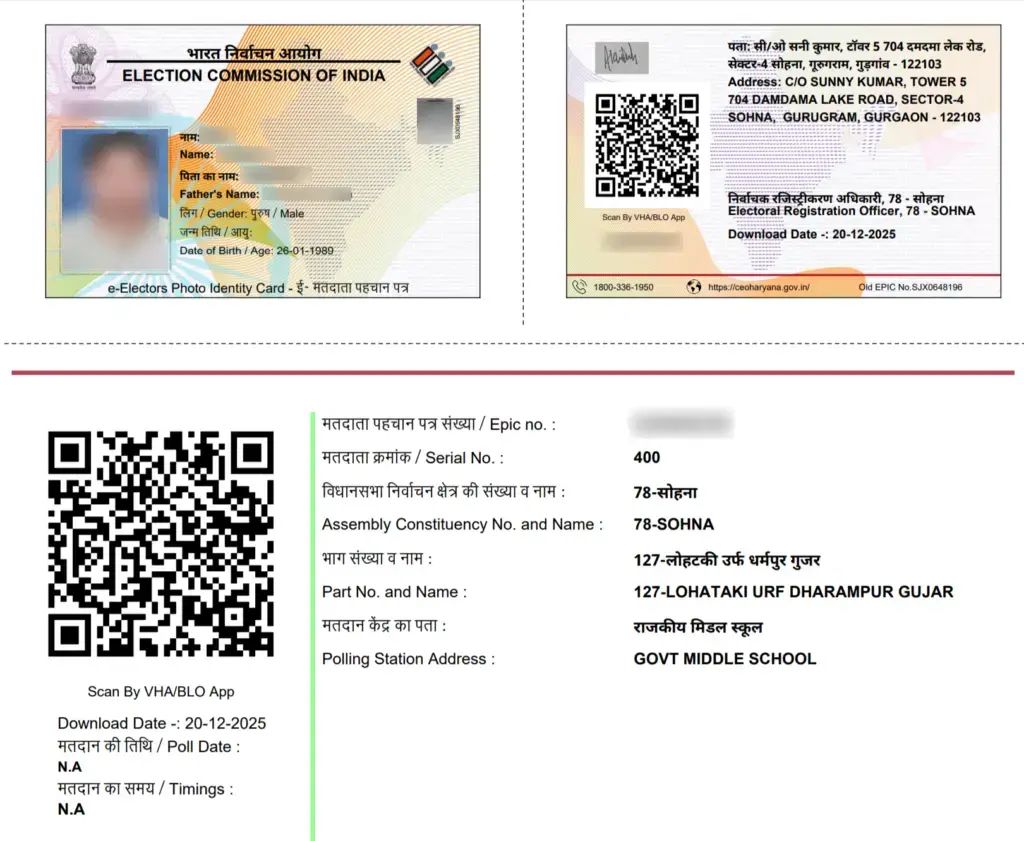
The Voter ID card, officially known as the Elector’s Photo Identity Card (EPIC), is one of the most essential identity documents for Indian citizens. It serves as proof of identity and is mandatory for exercising your right to vote in elections.
Thanks to the digital initiatives of the Election Commission of India, you no longer need to visit government offices or wait for weeks to receive your physical card. You can now download Voter ID online instantly from the comfort of your home.
What is EPIC & e-EPIC?
Before you begin, it helps to understand the difference:
- EPIC: The physical, laminated Voter ID card that is mailed to your address.
- e-EPIC: The secure, digitally signed PDF version of your Voter ID. It has the same validity as the physical card and contains a QR code for verification by officials.
Requirements Before Download
To ensure a smooth download, you need the following:
- A mobile number registered with your Voter ID record (to receive OTPs).
- Your EPIC number (if available).
- A smartphone or computer with internet access.
Step-by-Step Guide: How to Download Voter ID Online
Follow these simple steps to download your e-EPIC PDF via the official Voters’ Portal:
🗳️ Login to Voter Portal (Check Voter ID & Services)
- Visit the official portal: Go to the National Voters’ Services Portal (NVSP) or the official Voter Helpline site:
voters.eci.gov.in. - Login or Register: Click on the ‘Login’ button. If you are a new user, you must register first using your mobile number and a password.
- Navigate to e-EPIC Download: Once logged in, look for and click on the option labeled ‘E-EPIC Download’.
- Enter your details: You will be prompted to enter your EPIC number and select your State.
- Verify using OTP: An OTP (One Time Password) will be sent to your registered mobile number. Enter the OTP to verify your identity. (Note: You may need to complete two authentication steps for security).
- Download: After successful verification, your digital Voter ID will appear on the screen. Click the ‘Download’ button to save the Voter ID PDF to your device.
Alternative Method (Without EPIC Number)
If you do not have your EPIC number handy, you can still access your card:
- On the same portal, choose the ‘Search in Electoral Roll’ or ‘Know your EPIC Number’ option.
- Enter your personal details such as Name, Date of Birth, District, and Assembly Constituency.
- Submit the request. The system will retrieve your voter details and EPIC number. You can then follow the steps above to download the card.
Benefits of e-EPIC
Downloading your digital Voter ID offers several advantages:
- Instant Access: Get the card immediately without waiting for postal delivery.
- Portability: You can store the PDF on your phone, DigiLocker, or print it at home.
- Always Valid: It is a legally valid proof of identity for travel, banking, and verification.
Important Tips
- Use only the official website (
voters.eci.gov.in) to avoid phishing scams. - Keep your mobile number updated with the electoral roll to receive OTPs.
- Never share your OTP with anyone.
Official Portal
🗳️ Login to Voter Portal (Check Voter ID & Services)
Final Thoughts
Downloading your Voter ID online is a quick, secure, and convenient process. With just a few clicks, you can have your official e-EPIC ready for the 2026 elections and beyond. If you have recently applied for a new card, you can download your e-EPIC within 10-15 days of approval.